This article needs some TLC. Read at your own risk.

Sega Pico
The Sega Pico is a console developed by Sega. It was released in 1993.
This system scrapes metadata for the “pico” group(s) and loads the pico set from the currently selected theme, if available.
Grouped with the “megadrive” group of systems.
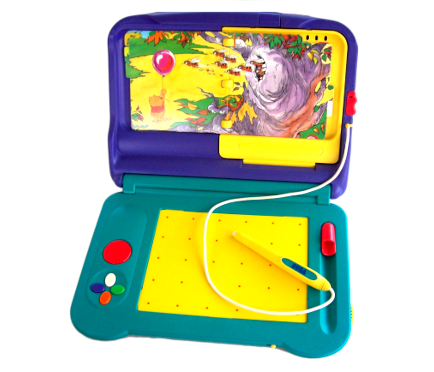
Quick reference
- Emulator: RetroArch
- Folder:
/userdata/roms/pico - Accepted ROM formats:
.bin,.md,.zip,.7z
BIOS
No Sega Pico emulator in Batocera needs a BIOS file to run.
ROMs
Place your Sega Pico ROMs in /userdata/roms/pico.
Emulators
RetroArch
RetroArch has its own page.
libretro: genesisplusgx
libretro: genesisplusgx configuration
Standardized features for this core: pico.rewind, pico.autosave, pico.netplay, pico.cheevos
ES setting name batocera.conf_key | Description ⇒ ES option key_value |
|---|---|
| Settings that apply to all systems this core supports | |
REGION global.gpgx_region | Games may run faster/slower than normal if the incorrect region is selected. ⇒ NTSC-U ntsc-u, PAL pal, NTSC-J ntsc-j. |
REDUCE SPRITE FLICKERING global.gpgx_no_sprite_limit | Enhancement. Remove the eighty sprites per line limit. ⇒ Off disabled, On enabled. |
libretro: genesisplusgx-wide
libretro: genesisplusgx-wide configuration
Standardized features for this core: pico.rewind, pico.autosave, pico.netplay, pico.cheevos
libretro: picodrive
libretro: picodrive configuration
Standardized features for this core: pico.autosave, pico.netplay, pico.cheevos
ES setting name batocera.conf_key | Description ⇒ ES option key_value |
|---|---|
| Settings that apply to all systems this core supports | |
REDUCE SPRITE FLICKERING global.picodrive_sprlim | Enhancement. Remove the eighty sprites per line limit. ⇒ Off disabled, On enabled. |
CROP OVERSCAN global.picodrive_cropoverscan | Zooms in to hide black borders. ⇒ Off disabled, On enabled. |
CONTROLLER 1 TYPE global.picodrive_controller1 | ⇒ Joypad 3 Button 3 button pad, Joypad 6 Button 6 button pad. |
CONTROLLER 2 TYPE global.picodrive_controller2 | ⇒ Joypad 3 Button 3 button pad, Joypad 6 Button 6 button pad. |
Controls
Here are the default Sega Pico's controls shown on a Batocera RetroPad:

Troubleshooting
Further troubleshooting
For further troubleshooting, refer to the generic support pages.
- systems/pico.txt
- Last modified: 3 years ago
- by maximumentropy