This is an old revision of the document!

Spectravideo
Spectravideo was a brand of home computers and peripherals that gained popularity in the early 1980s. The company initially started as a manufacturer of video game consoles and accessories before transitioning to producing home computers. Notable models included the SV-318 and SV-328, which were known for their robust build and compatibility with MSX software, a standardized home computer architecture. Spectravideo computers were particularly popular in Europe and played a significant role in the home computing boom of the 1980s.
This system scrapes metadata for the spectravideo group and loads the spectravideo set from the currently selected theme, if available.

Quick reference
- Accepted ROM formats:
.zip,.7z,.cas - Folder:
/userdata/roms/spectravideo
| Emulators |
|---|
| openmsx |
BIOS
Info about the BIOS files, how to extract them from real hardware (not really required), and if applicable why they are optional and what the benefits of using the real BIOS is compared to the emulated one.
| MD5 checksum | Share file path | Description |
|---|---|---|
c53ca5908936d412331790f4426c6c33 | bios/bios.bin | Version 1 |
6e3735ff4c7dc899ee98981385f6f3d0 | bios/bios2.bin | Version 2 |
ROMs
Place your <Full System Name Here> ROMs in /userdata/roms/short system name here/.
Info about the ROM files, what kinds of formats they can come in and any information specific to their format(s). It is also useful to note any special features that are ROM related like multi-disc playlists and how to set them up here.
[Some cool ROM-related feature, if applicable]
[Lorem ipsum dolor sit amet, consectetur adipiscing elit, sed do eiusmod tempor incididunt ut labore et dolore magna aliqua. Ut enim ad minim veniam, quis nostrud exercitation ullamco laboris nisi ut aliquip ex ea commodo consequat. Duis aute irure dolor in reprehenderit in voluptate velit esse cillum dolore eu fugiat nulla pariatur. Excepteur sint occaecat cupidatat non proident, sunt in culpa qui officia deserunt mollit anim id est laborum.]
[Saves]
This section is completely optional, as most systems have implied save location (saves/<system>/<game>.<save game extension>. But some systems have complicated procedures or special extra features that might warrant this section existing.
[Lorem ipsum dolor sit amet, consectetur adipiscing elit, sed do eiusmod tempor incididunt ut labore et dolore magna aliqua. Ut enim ad minim veniam, quis nostrud exercitation ullamco laboris nisi ut aliquip ex ea commodo consequat. Duis aute irure dolor in reprehenderit in voluptate velit esse cillum dolore eu fugiat nulla pariatur. Excepteur sint occaecat cupidatat non proident, sunt in culpa qui officia deserunt mollit anim id est laborum.]
Emulators
Emulator A
Emulator A [is a cool emulator that focuses on X attribute. Common resources for getting info on such emulators are their own websites, wiki, forum, Github pages. You can also scour docs.libretro if it's a libretro core specifically, or that other wiki if it's infamous enough.]
What platforms should this emulator be used on? Are there any special notes or reasons why it's included in Batocera over other emulators?
Emulator A configuration
This would be where all the settings available to this standalone emulator would go.
Standardized features available: system.option_A, system.option_B
ES setting name batocera.conf_key | Description ⇒ ES option key_value |
|---|---|
OPTION NAME AS IT APPEARS IN ES systemshortname.emulator_option | A description of what this setting does. Try to make it as approachable as possible without being more than a paragraph long, if you need longer it might be worth adding it as its own section. ⇒ Option A value_a, Option B value_b, Option C value_c |
Any special notes about configuration should go here, as well as alternative locations for editing the CFG file if applicable (most emulators won't need this).
Emulator B
Emulator B [is an emulator only available on X platforms due to it performing better on X boards. It is not available on the x86/x86_64 build. It has multiple cores.]
Emulator B configuration
This would be where settings that apply to all cores of this emulator would go.
Standardized features available: system.option_A, system.option_B
ES setting name batocera.conf_key | Description ⇒ ES option key_value |
|---|---|
OPTION NAME AS IT APPEARS IN ES systemshortname.emulator_option | A description of what this setting does. Try to make it as approachable as possible without being more than a paragraph long, if you need longer it might be worth adding it as its own section. ⇒ Option A value_a, Option B value_b, Option C value_c |
Emulator B: Corename
Emulator B: Corename configuration
This would be where settings that only apply to this core would go.
Controls
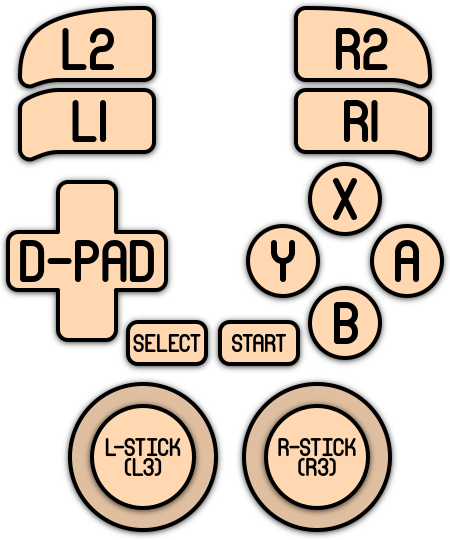
The default button mapping for the <system shortname>'s controls is as follows::
Embed a large image showing the controller's mapping. There should be one available for the system at https://github.com/batocera-linux/batocera-controller-overlays/tree/master/solid-4k . In case it hasn't been created yet, the controller pictures at docs.libretro for the system generally share the same layouts.
Troubleshooting
[Troubleshooting information that is applicable to only this system.]
For further troubleshooting, refer to the generic support pages.
- systems/spectravideo.1720693674.txt.gz
- Last modified: 2 years ago
- by wizzard