This is an old revision of the document!
This article needs some TLC. Read at your own risk.

PlayStation Vita
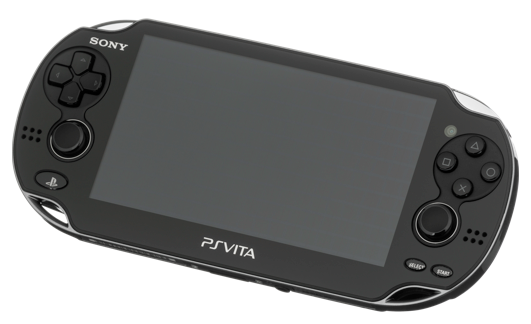
The PlayStation Vita is a console developed by Sony. It was released in 2012.
PS Vita emulation is still very experimental and only a few select titles work. Do not expect great performance either.
Right now, this is only available on x86_64 platforms.
This system scrapes metadata for the “psvita” group(s) and loads the psvita set from the currently selected theme, if available.
Quick reference
- Emulator: Vita3K
- Folder:
/userdata/roms/psvita - Accepted ROM formats:
.psvita
BIOS
Games require the PS Vita's system modules. These are stored as two files on PlayStation's update server:
Once both are downloaded, transfer them to Batocera at /userdata/bios/psvita. Then, on Batocera, press [F1] on the system list and go to Applications →  (what is it named?) to open the emulator.
screenshots
Click on the in the corner, and go to File → Install Firmware.
screenshot
Navigate to where your saved the system modules earlier and install them.
screenshot
ROMs
Place your PlayStation Vita ROMs in /userdata/roms/psvita.
Emulators
Vita3K
Added in Batocera v36, Vita3K is a highly experimental low-level emulator for the PS Vita. A quickstart guide and minimum requirements can be found on its website.
Vita3K configuration
Standardized features available to all cores of this emulator: psvita.videomode
ES setting name batocera.conf_key | Description ⇒ ES option key_value |
|---|---|
| Settings that apply to all cores of this emulator | |
GRAPHICS API psvita.vita3k_gfxbackend | Choose which graphics API library to use. Vulkan is better, when supported. ⇒ OpenGL OpenGL, Vulkan Vulkan. |
RENDERING RESOLUTION psvita.vita3k_resolution | Enhancement. Increase the rendering resolution. Makes 3D objects clearer. ⇒ 1x (960×544) 1, 2x (1920×1088) 2, 3x (2880×1632) 3, 4x (3840×2176) 4, 5x (4800×2720) 5, 6x (5760×3264) 6, 7x (6720×3808) 7, 8x (7680×4352) 8. |
FXAA psvita.vita3k_fxaa | Anti-aliasing is a technique for smoothing out jagged edges. ⇒ Disabled (Default) False, Enabled True. |
VSYNC psvita.vita3k_vsync | Fix screen tearing. ⇒ Disabled False, Enabled (Default) True. |
Controls
Here are the default PlayStation Vita's controls shown on a Batocera RetroPad:

Troubleshooting
Further troubleshooting
For further troubleshooting, refer to the generic support pages.
- systems/psvita.1666394753.txt.gz
- Last modified: 4 years ago
- by atari