This is an old revision of the document!


PC Engine CD
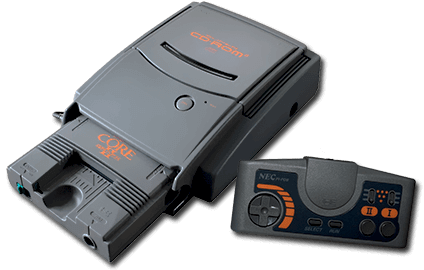
The PC Engine CD is a console developed by NEC. It was released in 1988.
This system scrapes metadata for the “pcenginecd” group and loads the pce-cd set from the currently selected theme, if available.


Quick reference
- Emulator: RetroArch
- Cores available: libretro: pce, libretro: pce_fast
- Folder:
/userdata/roms/pcenginecd - Accepted ROM formats:
.pce,.cue,.ccd,.iso,.img,.chd
BIOS
No PC Engine CD emulator in Batocera needs a BIOS file to run.
ROMs
Place your PC Engine CD ROMs in /userdata/roms/pcenginecd.
Emulators
RetroArch
RetroArch (formerly SSNES), is a ubiquitous frontend that can run multiple “cores”, which are essentially the emulators themselves. The most common cores use the libretro API, so that's why cores run in RetroArch in Batocera are referred to as “libretro: (core name)”. RetroArch aims to unify the feature set of all libretro cores and offer a universal, familiar interface independent of platform.
RetroArch configuration
RetroArch offers a Quick Menu accessed by pressing [HOTKEY] +  which can be used to alter various things like RetroArch and core options, and controller mapping. Most RetroArch related settings can be altered from Batocera's EmulationStation.
Standardized features available to all libretro cores: pcenginecd.videomode, pcenginecd.ratio, pcenginecd.smooth, pcenginecd.shaders, pcenginecd.pixel_perfect, pcenginecd.decoration, pcenginecd.game_translation
ES setting name batocera.conf_key | Description ⇒ ES option key_value |
|---|---|
| Settings that apply to all cores of this emulator | |
GRAPHICS API pcenginecd.gfxbackend | Choose which graphics API library to use. Vulkan is better, when supported. ⇒ OpenGL opengl, Vulkan vulkan. |
AUDIO LATENCY pcenginecd.audio_latency | In milliseconds. Can reduce crackling/cutting out. ⇒ 256 256, 192 192, 128 128, 64 64, 32 32, 16 16, 8 8. |
THREADED VIDEO pcenginecd.video_threaded | Improves performance at the cost of latency and more video stuttering. ⇒ On true, Off false. |
libretro: pce
libretro: pce configuration
ES setting name batocera.conf_key | Description ⇒ ES option key_value |
|---|---|
| Settings that apply to all systems this core supports | |
REDUCE SPRITE FLICKERING global.pce_nospritelimit | Enhancement. Remove the sixteen sprites per line limit. ⇒ Off disabled, On enabled. |
CONTROLLER 1 TYPE global.controller1_pce | ⇒ PCE Joypad 1, PCE Mouse 2. |
libretro: pce_fast
libretro: pce_fast configuration
ES setting name batocera.conf_key | Description ⇒ ES option key_value |
|---|---|
| Settings that apply to all systems this core supports | |
REDUCE SPRITE FLICKERING global.pce_nospritelimit | Enhancement. Remove the sixteen sprites per line limit. ⇒ Off disabled, On enabled. |
CONTROLLER 1 TYPE global.controller1_pce | ⇒ PCE Joypad 1, PCE Mouse 2. |
Controls
Here are the default PC Engine CD's controls shown on a Batocera Retropad:

Troubleshooting
Further troubleshooting
For further troubleshooting, refer to the generic support pages.
- systems/pcenginecd.1639284254.txt.gz
- Last modified: 5 years ago
- by atari