This is an old revision of the document!
This article needs some TLC. Read at your own risk.

Naomi 2
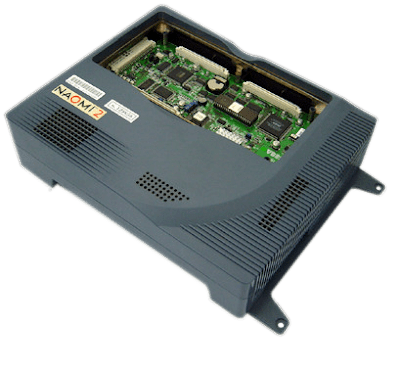
The Naomi 2 is a arcade developed by Sega. It was released in 2000.
A list of all the games made for it and their provided media format can be found at the Arcade Otaku Wiki page.
This system scrapes metadata for the “naomi2, arcade” group(s) and loads the naomi2 set from the currently selected theme, if available.
Quick reference
- Emulator: demul
- Folder:
/userdata/roms/naomi2 - Accepted ROM formats:
.zip,.7z
BIOS
| MD5 checksum | Share file path | Description |
|---|---|---|
fc7c2b9363a1e21b9ad42003e165598c | bios/naomi2.zip |
ROMs
Place your Naomi 2 ROMs in /userdata/roms/naomi2.
Emulators
Demul
From their FAQ:
Demul is Sega's multi-system game console and automaton emulator, originally intended solely to emulate the Sega Dreamcast game console. Currently, the emulator also supports emulation of Sega Dreamcast-based slot machines: Naomi, Naomi 2 and Atomiswave . Support for Sega Model 3, Sega Hikaru, Sega Saturn is under development .
Demul is run in Batocera under Wine, so any limitations that apply to Wine also applies to Demul (such as requiring ext4 or more advanced filesystems, flaky controller compatibility and only working on x86_64). Demul also requires graphics cards with Vulkan support.
Demul configuration
Standardized features available to all cores of this emulator: naomi2.videomode, naomi2.videomode, naomi2.bezel, naomi2.bezel_stretch, naomi2.hud, naomi2.bezel.tattoo, naomi2.bezel.tattoo_corner, naomi2.bezel.tattoo_file, naomi2.bezel.resize_tattoo
ES setting name batocera.conf_key | Description ⇒ ES option key_value |
|---|---|
| Settings that apply to all cores of this emulator | |
GAME ASPECT RATIO naomi2.demulRatio | ⇒ Stretch 0, 4:3 (Default) 1, 16:9 2. |
VSYNC naomi2.demulVSync | Fix screen tearing. ⇒ Off 0, On 1. |
First run
After loading a Naomi 2 ROM for the first time, Batocera will download and install the appropriate files. This process takes a few minutes up to (a long time) depending on your internet speed. There is no progress bar.
Service menu
Redo this section, add images, explain what it's actually for, etc.
A keyboard required to access this menu.
While running a game, press [F4] to access the service menu for that title. This menu contains different options for each game, and saves their configuration independently.
Repeatedly press [F2] to navigate the menu, and press [F4] to confirm.
Controls
Currently controllers cannot be configured using the desktop app. This is a limitation of the Demul app under Wine. As of writing, only Player 1 is mapped with the default layout.
This part needs to be rewritten. It contains important information so it will remain here for now.
Demul uses decimal for pad configuration in the padDemul.ini To determine the decimal we have to convert the hexadecimal to decimal. You can edit arcade controls they're under the [JAMMAx_x] headings depending on the number of controllers.
Controller 1 = 0x100 & 0x200 for the buttons & the 2x analog sticks. Controller 2 = 0x101 & 0x201 etc.
Device input hex codes are listed in the appropriate linux kernel input.h depending on the controller type. i.e. A gamepad's 'start' button is 0x13b Therefore controller 1's start button is 0100013b in hex or 16777531 in decimal. Controller 2 would be 0101013b / 16843067 accordingly.
Here are the default Naomi 2's controls shown on a Batocera RetroPad:

Troubleshooting
Further troubleshooting
For further troubleshooting, refer to the generic support pages.
- systems/naomi2.1650449176.txt.gz
- Last modified: 5 years ago
- by atari