This is an old revision of the document!
Under construction. Needs further testing.

GZDoom
ZDoom is a source port. Based off ATB Doom and NTDoom, has since added practically full support for Boom, Chex Quest, Heretic, Hexen and Strife; and several games have been developed specifically for it. It has added many additional features, including slopes, uncapped fps and z-clipping.
“The demons… they are everywhere. Must… kill them all!”. Doomguy from DOOM.
This system scrapes metadata for the “ports” group(s) and loads the gzdoom set from the currently selected theme, if available.
Grouped with the “ports” group of systems.

Quick reference
- Emulator: GZDoom
- Folder:
roms/gzdoom/ - Accepted ROM formats:
.wad,.iwad,pk3,.ipk3,.zipor.7zip
BIOS
No GZDoom emulator in Batocera needs a BIOS file to run.
ROMs
Place your GZDoom ROMs in /userdata/roms/gzdoom/.
.WAD and .PK3
Each game needs a .WAD (Where's all data?) or .IWAD (Internal WAD), it's the main resource file for a Doom-engine game, containing all the game's original sounds, levels, and graphics.
Some files have conflicting names; ZDoom provides you with possible aliases.
.IWAD and .IPK3
In addition, some “total conversion”-type mods, can be played as their own IWAD; an IWAD is actually identified by its content rather than its name.
In order to play a custom level designed for any of the above games you have to have that particular game's full IWAD. If you do not have the necessary IWAD, you will get an error message on startup.
Custom IWADs can be detected. These custom IWADs need to have the .iwad or alternatively .ipk3 (not the traditional .wad and .pk3) extension, and they need to include an IWADINFO lump.
IWad: {
Name = "My Kickass Custom Game"
AutoName = "MyCustomGame"
Game = "Doom"
Config = "Doom"
StartupType = "Hexen"
BannerColors = "ff ff ff", "c9 00 00"
}
.ZIP, .7ZIP, .PK3 or .PK7
The PK3 file format is the same as the ZIP file format, and is treated exactly the same by ZDoom.
Commercial games
| Game | Name | File Name | Alias |
|---|---|---|---|
| DOOM | Doom (Registered) | doom.wad | |
| DOOM | The Ultimate Doom | doom.wad | doomu.wad |
| DOOM | Doom “BFG Edition” | doom.wad | doombfg.wad or bfgdoom.wad |
| DOOM II | Doom II | doom2.wad | doom2.wad |
| DOOM II | Doom II “BFG Edition” | doom2.wad | doom2bfg.wad or bfgdoom2.wad |
| DOOM II | Final Doom — TNT: Evilution | tnt.wad | |
| DOOM II | Final Doom — The Plutonia Experiment | plutonia.wad | |
| DOOM II | French Doom II | doom2f.wad | |
| Heretic | Heretic (Registered or Commercial) | heretic.wad | hereticsr.wad |
| Hexen | Hexen (Full) | hexen.wad | |
| Hexen | Hexen: Deathkings of the Dark Citadel | hexdd.wad | |
| Strife | Strife (Full) | strife1.wad | strife.wad |
| Strife | Strife: Veteran Edition | sve.wad | |
| Chez Quest | Chex Quest | chex.wad |
Free games
| Game | Name | File Name | Alias |
|---|---|---|---|
| DOOM | Doom (Shareware) | doom1.wad | |
| Heretic | Heretic (Shareware) | heretic.wad | hereticsr.wad |
| Hexen | Hexen (Demo) | hexen.wad | |
| Strife | Strife (Teaser) | strife1.wad | strife.wad |
| FreeDoom | Freedoom: Phase 1 | freedoom1.wad | freedoomu.wad |
| FreeDoom | Freedoom: Phase 2 | freedoom2.wad | freedoom.wad |
| FreeDoom | FreeDM | freedm.wad | |
| Blasphemer | heretic.wad | blasphem.wad or blasphemer.wad | |
| Chez Quest | Chex Quest 3 | chex3.wad | |
Action Doom 2: Urban Brawl
doombfg.wad or bfgdoom.wad Files from game folder /Duke Nukem 3D or /ATOMINST or /Duke Nukem 3D/gameroot or Duke Nukem 3D Twentieth Anniversary World Tour/ or /data
/userdata/roms/eduke32/duke/
                           |── DUKE3D.GRP (The World Tour's extra features will requires the whole game installation)
                           └── DUKE.RTS
Note: For Duke Nukem games it is possible to install High-Definition Packs and Music Packs: http://hrp.duke4.net/download.php Some files have versions for Eduke32 emulator and others for Eduke32 emulator, make sure to download the correct one.
Duke It Out in D.C. (expansion)
- Duke It Out in D.C..eduke32
FILE  = /duke/DUKE3D.GRP
FILE+ = /duke/DUKEDC.GRP
Files from game folder /Duke Nukem 3D and /Duke Nukem 3D/gameroot/addons/dc or DUKEDC/
/userdata/roms/eduke32/duke/
                           ├── DUKE3D.GRP (Atomic Edition)
                           └── DUKEDC.GRP (DUKEDCPP.SSI can be converted to GRP: https://forums.duke4.net/topic/998-xp-trying-to-get-duke-it-out-in-dc-please-help/)
Duke Caribbean: Life's a Beach (expansion)
- Duke It Out in D.C..eduke32
FILE  = /duke/DUKE3D.GRP
FILE+ = /duke/VACATION.GRP
Files from game folder /Duke Nukem 3D and /Duke Nukem 3D/gameroot/addons/vacation or CARIBBEA/VACATION/
/userdata/roms/eduke32/duke/
                           ├── DUKE3D.GRP
                           └── VACATION.GRP (VACA15.SSI can be converted to GRP: https://forums.duke4.net/topic/998-xp-trying-to-get-duke-it-out-in-dc-please-help/)
Duke: Nuclear Winter (expansion)
- Duke - Nuclear Winter.eduke32
FILE  = /duke/DUKE3D.GRP
FILE+ = /duke/NWINTER.GRP
Files from game folder /Duke Nukem 3D and /Duke Nukem 3D/gameroot/addons/nw
/userdata/roms/eduke32/duke/
                           ├── DUKE3D.GRP
                           └── NWINTER.GRP
Duke Nukem Atomic Edition
- Duke Nukem Atomic Edition.eduke32
FILE  = /duke/DUKE3D.GRP
FILE+ = /duke/DUKE3DA.GRP
Files from game folder /Duke Nukem Atomic Edition or /ATOMINST
/userdata/roms/eduke32/duke/
                           ├── DUKE3D.GRP
                           └── DUKE3DA.GRP
Duke ZONE 2
- Duke!Zone II.eduke32
 (Atomic)
FILE  = /duke/DUKE!ZON.GRP
FILE+ = /duke/DUKEZONE2.GRPINFO
- Duke!Zone II.eduke32
 (World Tour)
FILE  = /duke/DUKE!ZON.GRP
FILE+ = /duke/DUKEZONE2_WT.GRPINFO
Files from game folder /Duke Zone 2
/userdata/roms/eduke32/dukezone2/
               |       ├── DUKE!ZON.GRP
               |       ├── DUKEZONE2.GRPINFO (Atomic) OR DUKEZONE2_WT.GRPINFO (World Tour)
               |       └── FIXED CON FILES: https://hrp.duke4.net/download.php
               |           ├── GAME.CON (Replaces DZ-GAME.CON)
               |           ├── DEFS.CON (Replaces DZ-DEFS.CON)
               |           ├── USER.CON (Replaces DZ-USER.CON)
               |           └── E3L1.MHK
               └── Duke!Zone II.eduke32
Duke Assault
Copy the ASSAULT directory from the CD to your EDuke32 directory.
Copy the two TILES014.ART and TILES015.ART files from ART directory to the ASSAULT directory.
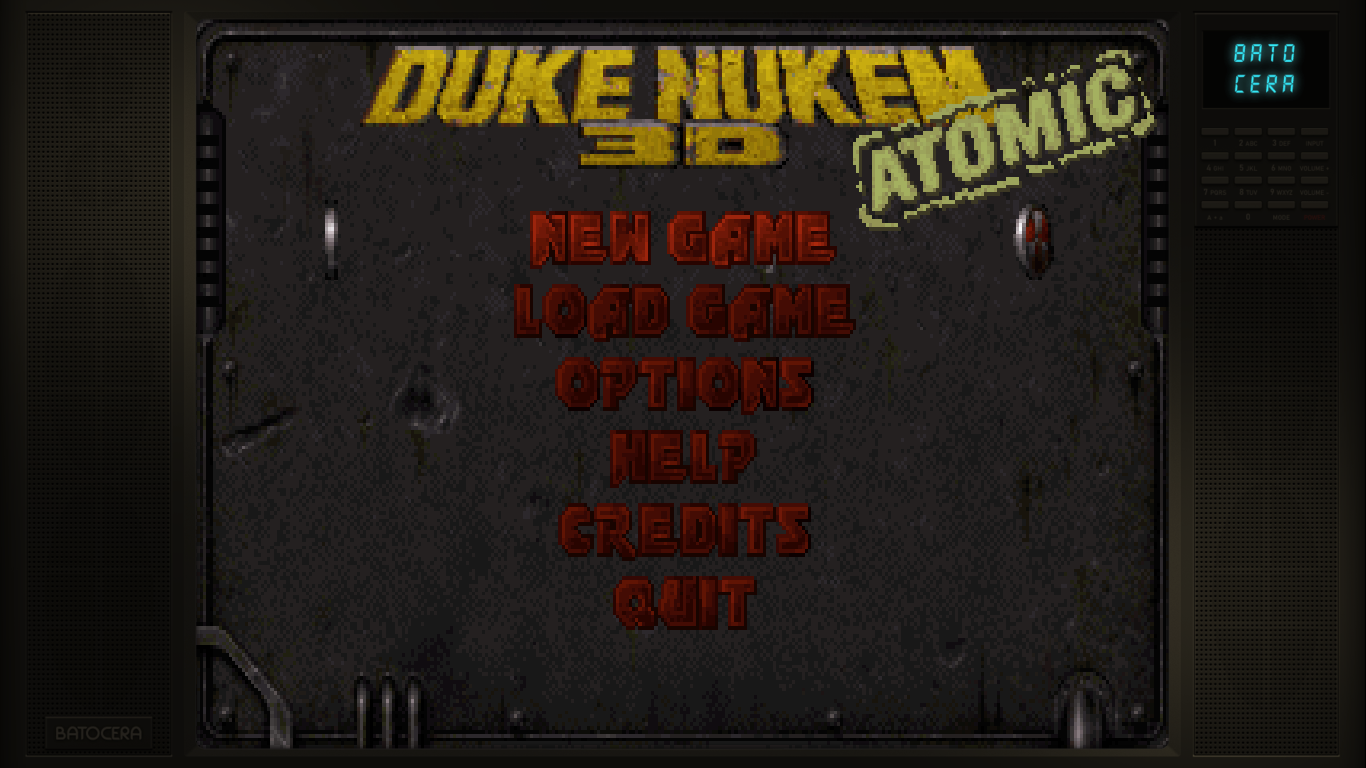
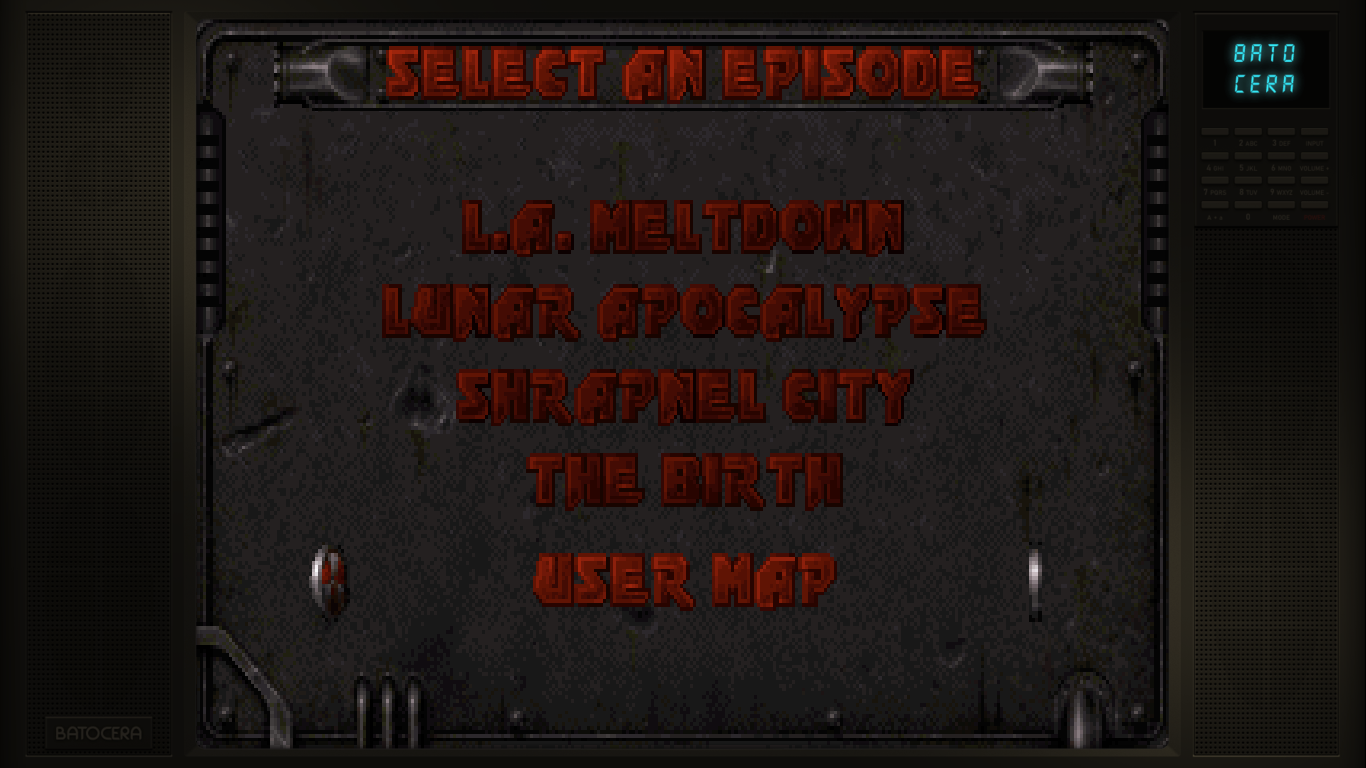
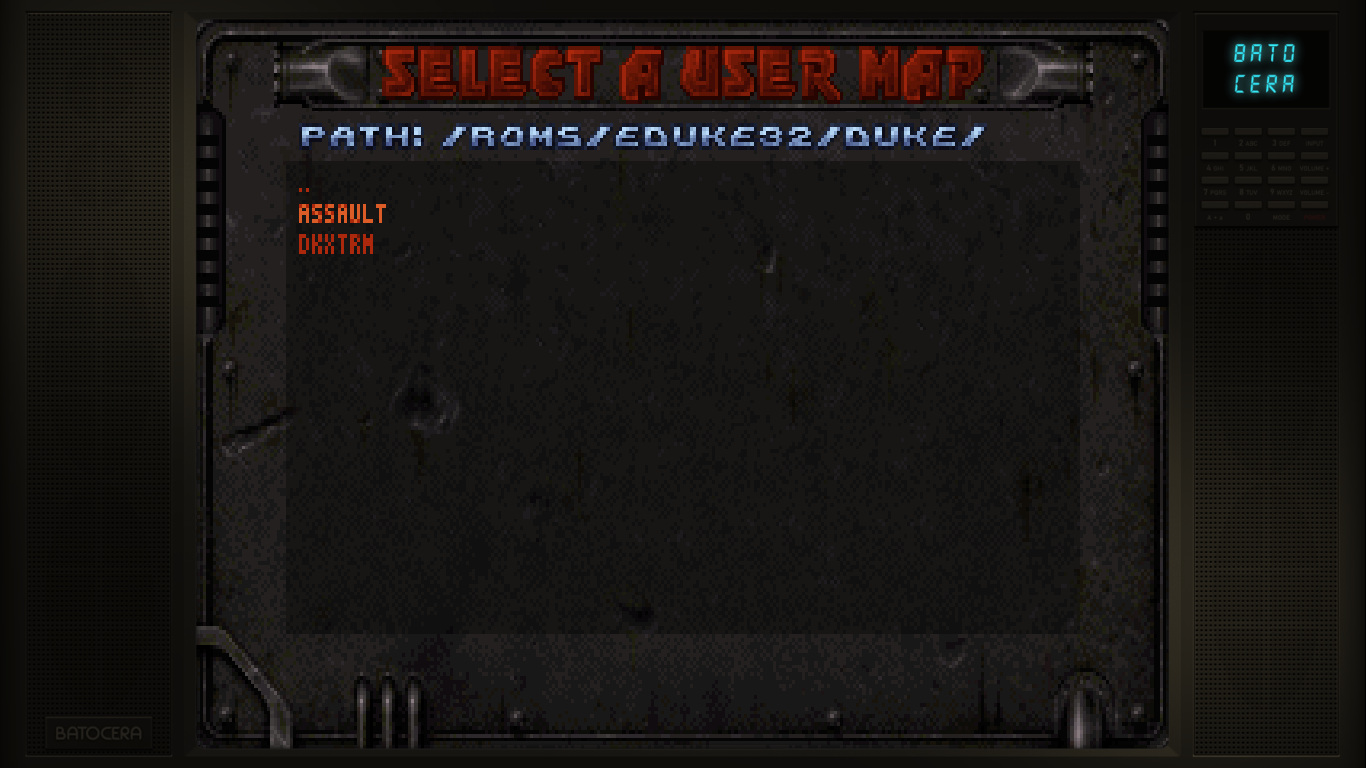
Select your map from the user map selection: New Game > User Map > Navigate to /userdata/roms/eduke/assault/ and select the desired map to play.
   |
- Duke Assault.eduke32
FILE = /duke/DUKE3D.GRP
Files from game folder Duke Nukem 3D/, /Duke Assault CD/ASSAULT and /Duke Assault CD/ART
/userdata/roms/eduke32/duke/
               |       ├── ASSAULT/
               |       |   ├── *.MAP (1640 MAP files!)
               |       |   ├── TILES014.ART
               |       |   └── TILES015.ART
               |       └── DUKE3D.GRP
               └── Duke Assalt.eduke32
Duke Nukem's Penthouse Paradise (expansion)
- Duke Nukem's Penthouse Paradise.eduke32
FILE  = /duke/DUKE3D.GRP
FILE+  = /duke/PENTHOUS.GRP
Files from game folder /Duke Nukem 3D and /penthous
/userdata/roms/eduke32/duke/
               |       ├── DUKE3D.GRP
               |       └── PENTHOUS.GRP
               └── Duke Nukem's Penthouse Paradise.eduke32
Duke!Zone (expansion)
- Red Zone.eduke32
FILE  = /duke/DUKE3D.GRP
FILE+  = /duke/ZONE.GRP
Files from game folder /Duke Nukem 3D and /redzone
/userdata/roms/eduke32/duke/
               |       ├── DUKE3D.GRP
               |       └── Zone.GRP
               └── Duke!Zone.eduke32
Duke Nukem: Plug 'N' Pray Remake Episodes (expansion)
- Red Zone.eduke32
FILE  = /duke/DUKE3D.GRP
FILE+  = /duke/PNP.GRP
Files from game folder /Duke Nukem 3D and /pnp
/userdata/roms/eduke32/duke/
               |       ├── DUKE3D.GRP
               |       └── PNP.GRP
               └── Plug 'N' Pray.eduke32
Duke Nukem: Zero Hour (expansion)
- Duke Nukem Zero Hour.eduke32
FILE  = /duke/DUKE3D.GRP
FILE+  = /duke/ZEROHOUR.GRP
Files from game folder /Duke Nukem 3D and /zerohour
/userdata/roms/eduke32/duke/
               |       ├── DUKE3D.GRP
               |       └── ZEROHOUR.GRP
               └── Duke Nukem Zero Hour.eduke32
Duke Xtreme
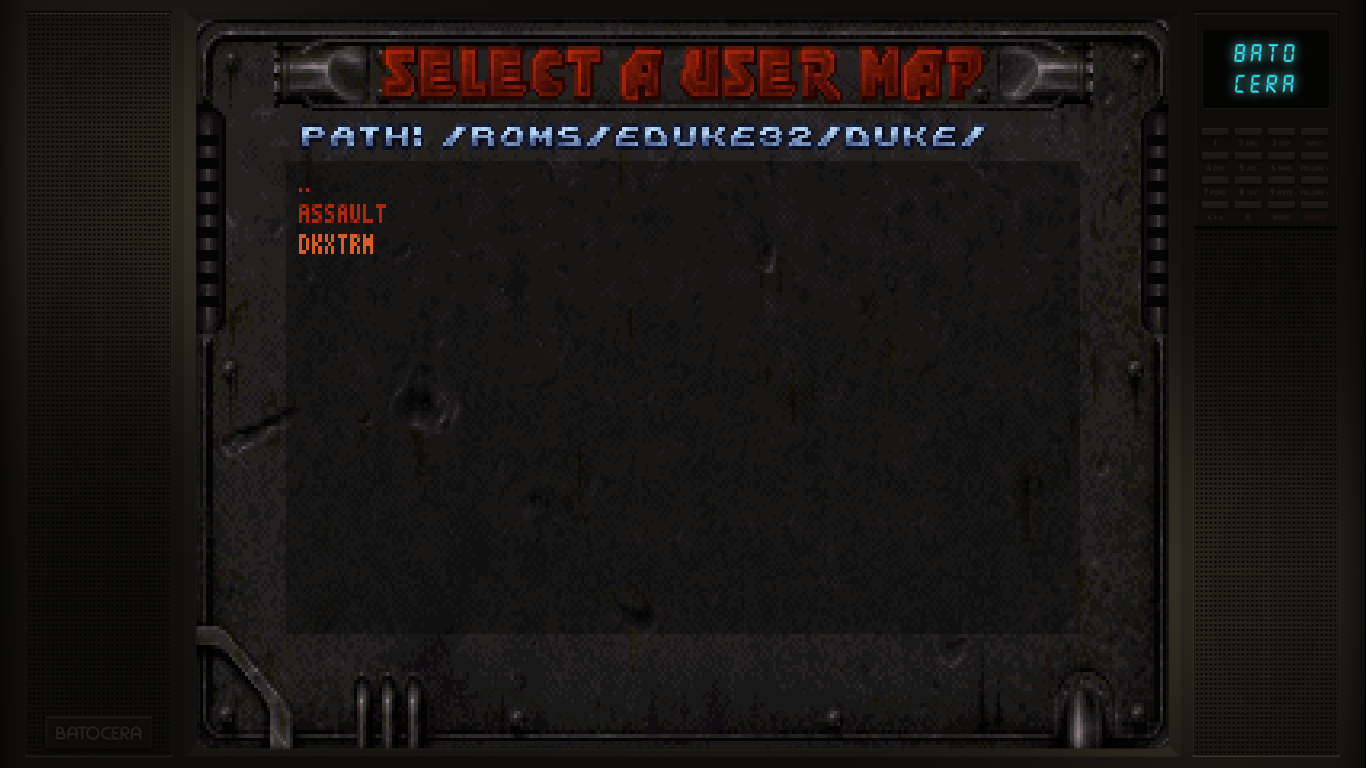
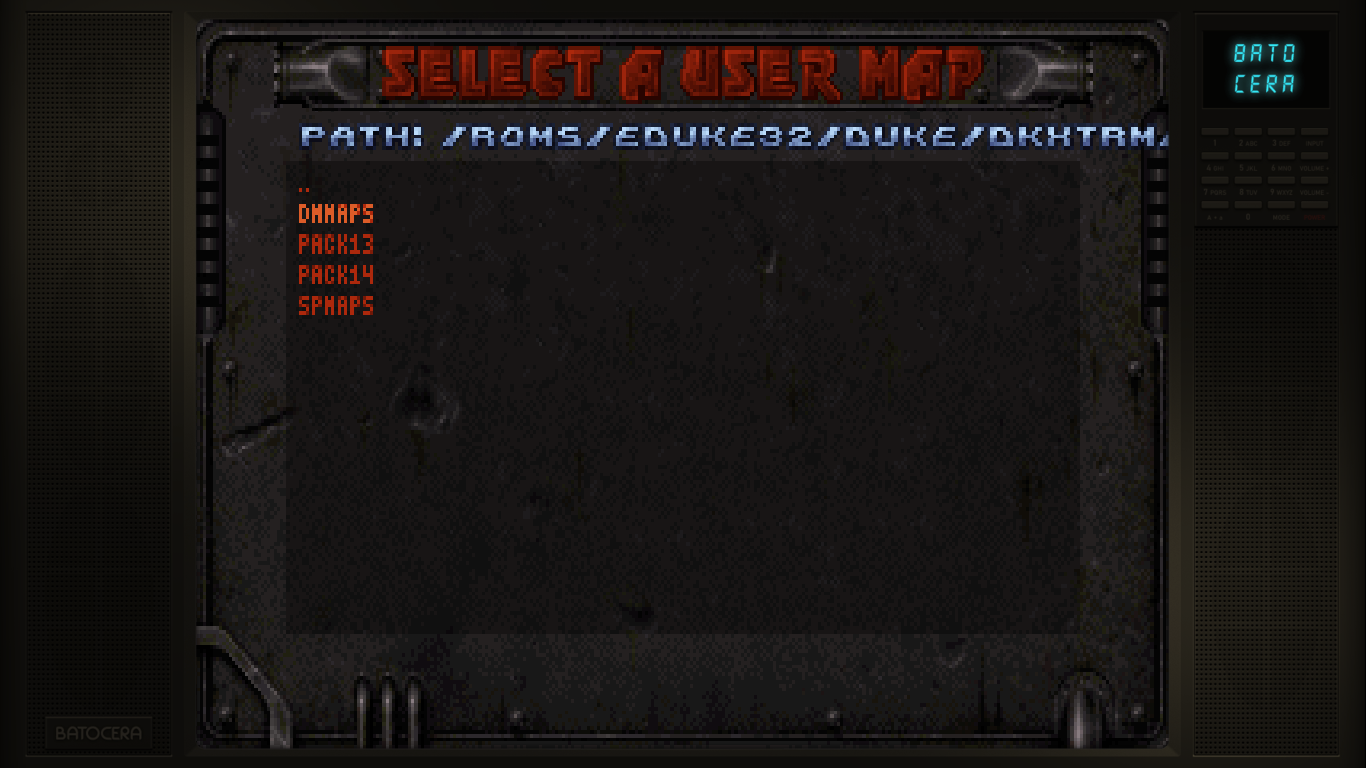
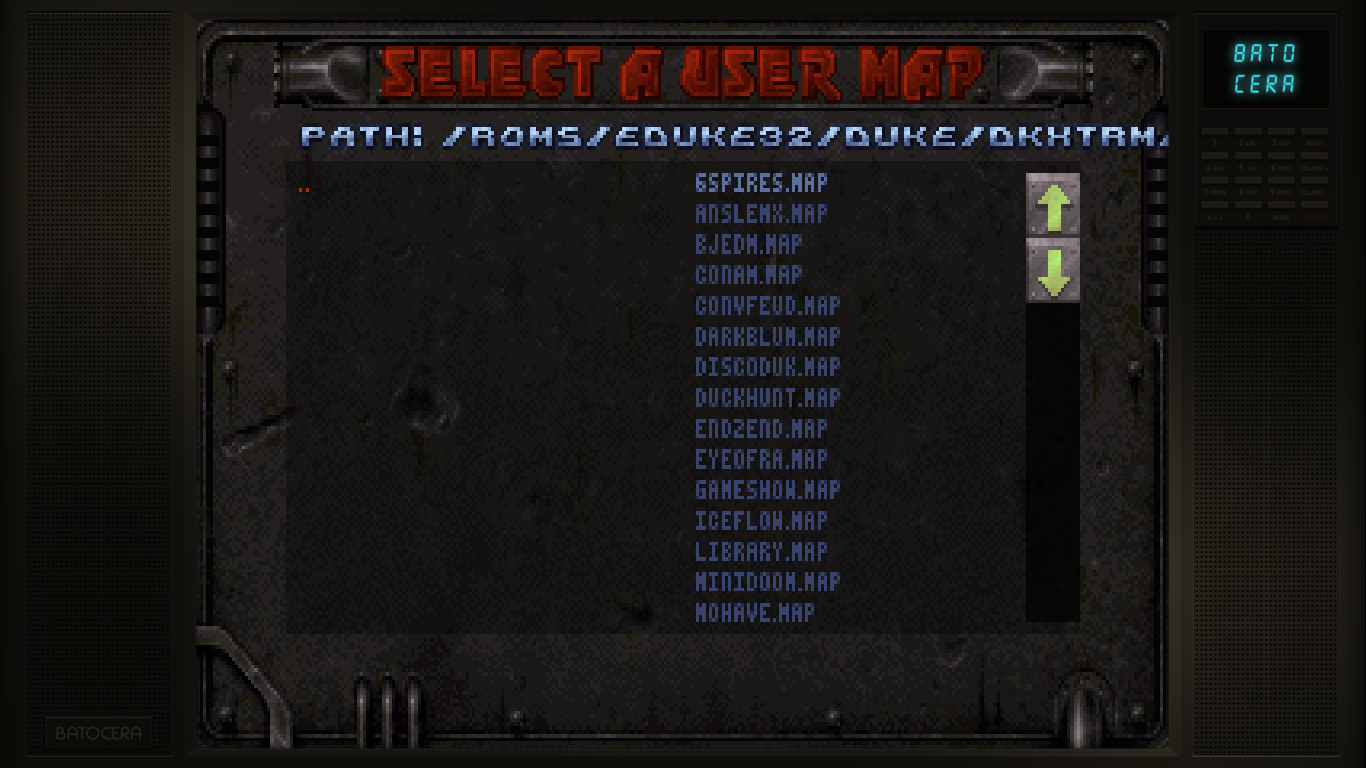
Copy the DKXTRM directory from the CD to your EDuke32 directory.
In DKXTRM/PACK14, rename DKEXGAME.CON to GAME.CON, DKEXDEFS.CON to DN3DDEFS.CON, and DKEXUSER.CON to DN3DUSER.CON.
Select your map from the user map selection: New Game > User Map > Navigate to /userdata/roms/eduke/dkxtrm/ and select the desired map to play at DMMAPS or SPMAPS folder.
   |
- Duke Xtreme.eduke32
FILE = /duke/DUKE3D.grp
Files from game folder Duke Nukem 3D/ and /Duke Xtreme CD/XTRM
/userdata/roms/eduke32/duke/
               |       ├── DUKE3D.GRP
               |       └── DKXTRM/
               |           ├── DMMAPS (25 files)
               |           |   └── *.MAP
               |           ├── PACK13
               |           |   ├── TILES0*.ART (7 files)
               |           |   ├── *.CON (3 files)
               |           |   |       ├── DKEXDEFS.CON
               |           |   |       ├── DKEXUSER.CON
               |           |   |       └── DKEXGAME.CON
               |           |   └── *.VOC (22 files)
               |           ├── PACK14
               |           |   ├── TILES0*.ART (7 files)
               |           |   ├── *.CON (3 files)
               |           |   |       ├── DN3DDEFS.CON (Renamed from DKEXDEFS.CON)
               |           |   |       ├── DN3DUSER.CON (Renamed from DKEXUSER.CON)
               |           |   |       └── GAME.CON (Renamed from DKEXGAME.CON)
               |           |   └── *.VOC (22 files)
               |           └── SPMAPS
               |               └── *.MAP (25 files)
               └── Duke - Xtreme.eduke32
NAM
- Nam.eduke32
FILE = /nam/NAM.GRP
CON  = /nam/NAM.CON
<\file>

Files from game folder /NAM

<code>
/userdata/roms/eduke32/nam/
               |       ├── NAM.CON (Renamed from GAME.CON)
               |       ├── NAM.GRP
               |       └── NAM.RTS
               └── Nam.eduke32
</code>

=== NAMPAL [Walmart version of NAM with different .GPR files] ===

<file - Napalm.eduke32>
FILE = /nampal/NAPALM.GRP
CON  = NAMPAL.CON
<\file>

Files from game folder /NAMPALM

<code>
/userdata/roms/eduke32/nampal/
               |       ├── NAPALM.CON (Renamed from GAME.CON)
               |       ├── NAPALM.GRP
               |       └── NAPALM.RTS
               └── Nampal.eduke32
</code>
=== World War II GI ===

<file - World War II GI.eduke32>
FILE = /ww2gi/WW2GI.GRP
Files from game folder /WWII GI
/userdata/roms/eduke32/ww2gi/
               |       ├── WW2GI.GRP
               |       └── WW2GI.CON
               └── World War II GI.eduke32
World War II GI: Platoon Leader (expansion)
- World War II GI - Platoon Leader .eduke32
FILE  = /ww2gi/WW2GI.GRP
FILE+ = /ww2gi/PLATOONL.DAT
CON   = /ww2gi/PLATOONL.DEF
Files from game folder /WWII GI and /platoonleader
/userdata/roms/eduke32/ww2gi/
               |       ├── WW2GI.GRP
               |       ├── PLATOONL.DAT
               |       └── PLATOONL.DEF
               └── Platoon Leader.eduke32
How to find out which files are needed to build the .eduke32 file? The Eduke32 for PC has some .CFG files, that contains what is se add-on file used.
Eduke32 compatible games: https://wiki.eduke32.com/wiki/Installation_Guide_for_Official_Add-ons
Duke Nukem High Definition Pack and Music Packs: https://hrp.duke4.net/download.php
Features
Eduke32 includes the following features:
- EDuke32 runs natively without relying on emulation of any kind
- EDuke32 runs at crazy resolutions like 3072×2304.
- EDuke32 allows you to choose between two different hardware accelerated OpenGL renderers, or the classic, warped software mode you grew up with
- EDuke32 fixes an insane amount of programming errors which were harmless in the days of DOS but are fatal with modern protected memory models; translation: EDuke32 crashes less
- EDuke32 has been the only actively developed and maintained Duke3D port for years
- EDuke32 features Plagman's incredible “Polymer” renderer as a replacement for Ken Silverman's “Polymost” renderer
- EDuke32 has a huge number of new extensions to the game's scripting system, allowing gameplay mods that rival even modern games.
- EDuke32 runs the HRP with support for all features, most of which require EDuke32; no other port can run the HRP with all features enabled
- EDuke32 adds a full-featured console, including Quake-style key bindings, command aliases, advanced tab completion, comprehensive command history, colored text and more
- EDuke32 has hundreds of code rewrites, optimizations and fixes for rare or annoying bugs in the original code
- EDuke32 adds tons of optional new features that make the player's life easier including modern status display/HUD, support for loading mods from the startup window, and modern, WSAD-based controls with thoroughly reworked mouse aiming
- EDuke32 supports Ogg Vorbis sound and music
- EDuke32 is developed by people who have been in the Duke3D scene since the beginning
- EDuke32 lets you play that game called 'NAM' you saw at the dollar store 10 years ago
- EDuke32 makes sandwiches!
Saves
Save location saves/eduke32/<game>.<save game extension>
Emulators
Eduke32
 [Needs review]
Standardized features available to all cores of this emulator: eduke32.videomode, eduke32.padtokeyboard, eduke32.videomode, eduke32.bezel, eduke32.bezel_stretch, eduke32.hud, eduke32.hud_corner, eduke32.bezel.tattoo, eduke32.bezel.tattoo_corner, eduke32.bezel.tattoo_file, eduke32.bezel.resize_tattoo
ES setting name batocera.conf_key | Description ⇒ ES option key_value |
|---|---|
| Settings that apply to all cores of this emulator | |
SKIP INTRO VIDEOS eduke32.nologo | ⇒ Skip 1, Show (Default) 0. |
Controls
Here are the default Eduke32's controls shown on a Batocera Retropad:
Troubleshooting
Game does not launch:
- Check logs files
es_launch_stderr.logandeduke32.logatuserdata/system/logs - Make sure all files are available at roms/eduke32
- Make sure the
.eduke32launch file is setup correctly- Check the case sensitive
- Check the use of FILE, FILE+ and CON
- FILE and FILE+ must use the path
/roms/eduke32/<gamefolder>/<main file or add-on> - CON also use the path
/roms/eduke32/<gamefolder>/<con file>
.eduke32files mustn't have empty lines, so delete the empty lines
- As a last alternative, reset system files: delete files from
/userdata/system/configs/eduke32/*and/userdata/saves/eduke32/*
- systems/gzdoom.1664854125.txt.gz
- Last modified: 4 years ago
- by maioni