This is an old revision of the document!

ECWolf
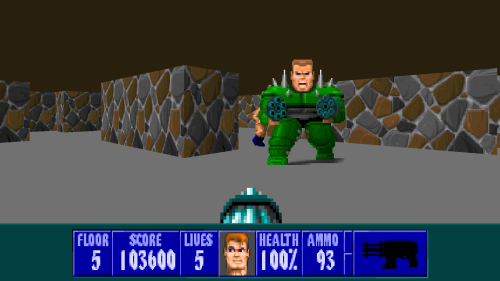
ECWolf is a port of the Wolfenstein 3D engine based of Wolf4SDL. It combines the original Wolfenstein 3D engine with the user experience of ZDoom to create the most user and mod author friendly Wolf3D source port.
Quote from https://bitbucket.org/ecwolf/ecwolf/src/master/README.md
ECWolf was constructed with GZDoom's API in mind, so their command syntax/configuration appear to be very similar, but cross-compatibility should not be assumed or expected. There will usually be specific commands/configs required for each system that corrupt/are incompatible with the other, resulting in issues.
This system scrapes metadata for the “ecwolf” group(s) and loads the ecwolf set from the currently selected theme, if available.
Grouped with the “ports” group of systems.
Quick reference
- Emulator: ecwolf
- Folder:
/userdata/roms/ecwolf - Accepted ROM formats:
.ecwolf,.pk3,.squashfs
BIOS
No ECWolf emulator in Batocera needs a BIOS file to run.
ROMs
Install to roms/ecwolf/. Supports the original DOS executables (wolf3d.exe, spear.exe, etc.). Requires all supplementary files that were included with the original installation.
1.x mods may not be compatible with 2.x, and vice versa. The philosophy on backwards mod compatibility going forward is TBA.
- Wolfweinstein 3D Shar * eware: http://maniacsvault.net/ecwolf/files/shareware/wolf3d14.zip
- Wolfeinstein 3D: https://store.steampowered.com/app/2270/Wolfenstein_3D/
- Spear of Destiny Demo: http://maniacsvault.net/ecwolf/files/shareware/soddemo.zip
- Spear of Destiny: https://store.steampowered.com/app/9000/Spear_of_Destiny/
Who to install games:
Put a folder in the /roms/ecwolf folder with the name of the game with the extension .ecwolf
and inside that the appropriate .wl6 files.
For example: /roms/ecwolf/Wolfenstein 3D.ecwolf/<.wl6 game files>
Emulators
ECWolf
ECWolf configuration
Standardized features available to all cores of this emulator: ecwolf.videomode, ecwolf.padtokeyboard
Controls
Here are the default ECWolf's controls shown on a Batocera Retropad:

Troubleshooting
Further troubleshooting
For further troubleshooting, refer to the generic support pages.
- systems/ecwolf.1651177899.txt.gz
- Last modified: 4 years ago
- by maioni