This is an old revision of the document!
This article needs some TLC. Read at your own risk.

Xbox 360
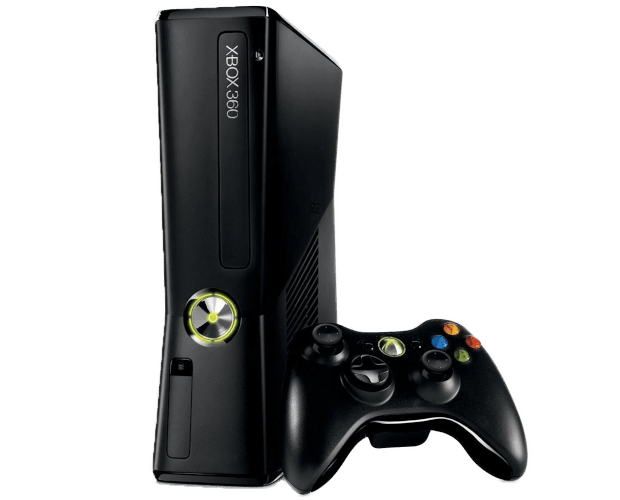
The Xbox 360 is a home console release by Microsoft (it being their second home console after the original Xbox. It was released in November 2005, making it the first seventh generation console released.
The Xbox 360 continued the trend of using relatively standard PC components, with its own instruction sets. The console would see two major redesigns in the form of the Xbox 360 S (2010) and the Xbox 360 E (2013). It would eventually be superseded by the Xbox One in 2013, however the Xbox 360's online service itself is still supported by its online servers (as of 2022), although many individual games have sunsetted their online services.
Xbox 360 emulation is still in its infancy, and the majority of titles do not work yet. Of the ones that do, most have severe graphical glitches that render them unplayable. This problem is made worse by the graphics APIs favoring Windows over Linux (ie. what Batocera uses). A graphics card which supports Vulkan well is mandatory. With that said, progression of Xbox 360 emulation in the past few years alone has been staggering.
There are builds of Xenia (the main Xbox 360 emulator) for Linux natively, but the functionality of those are extremely poor.
This system scrapes metadata for the “xbox360” group(s) and loads the xbox360 set from the currently selected theme, if available.
Quick reference
- Accepted ROM formats:
.iso,.xex - Folder:
/userdata/roms/xbox360
| Emulators |
|---|
| xenia |
| xenia-canary |
BIOS
No Xbox 360 emulator in Batocera needs a BIOS file to run.
ROMs
Disc images (ISO)
Place your Xbox 360 ROMs in /userdata/roms/xbox360.
Digital titles and disc installations
This is what you might find when using the console itself to rip the game.
Create a new blank text file with the name of the game followed by the extension .xbox360.1) Open this text file and enter the filename of the title. Place this text file in the same directory as the title.

When directly ripped from the console, these titles will be in a series of subfolders. XBLA games only require the file itself. Extracted/disc installed games require maintaining the same file structure, but their parent folders can other be moved freely.
Emulators
xenia
xenia is an Xbox 360 research emulator, still in an experimental state. It's recommended to read its quick start guide first. Most questions about it are answered in its FAQ.
xenia configuration
Standardized features available to all cores of this emulator: xbox360.videomode
xenia-canary
xenia canary is a fork of xenia which has changes that may or may not be merged into its master branch, full list of changes here.
xenia-canary configuration
Standardized features available to all cores of this emulator: xbox360.videomode
Controls
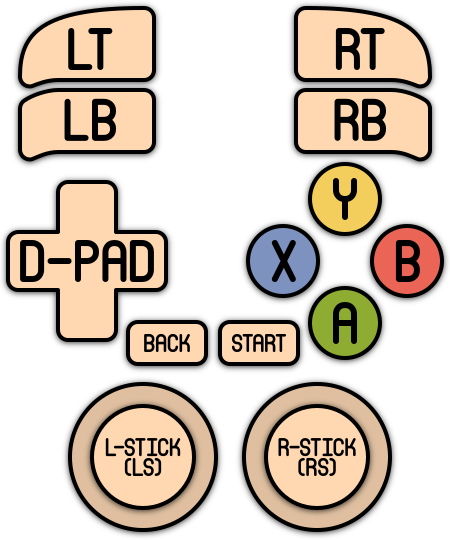
Here are the default Xbox 360's controls shown on a Batocera RetroPad:
Troubleshooting
My game isn't working!
It is probably that the game is not compatible yet. Check at xenia's game compatibility issue report page. There may be some games that are reported as compatible but still aren't working in Linux/Batocera, so be sure to check which platform it's been reported on as well.
Next thing to check is to make sure that the title itself has been properly ripped and is including all its necessary files.
Further troubleshooting
For Xenia specific help, refer to its FAQ. You may also find issues having already been reported.
For further troubleshooting, refer to the generic support pages.
- systems/xbox360.1670992225.txt.gz
- Last modified: 4 years ago
- by atari