This is an old revision of the document!
N64 Disc Drive

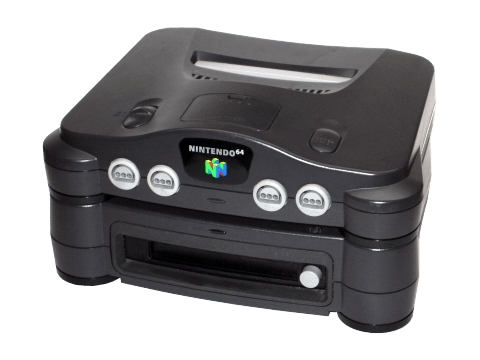
Better known as the N64DD, this was an expansion available for the original N64 that would allow for the loading from discs instead of cartridges.
Largely a commercial failure, never left Japan. But the few titles that were developed and released for it were incredible.
Using libretro-Mupen64Plus-Next
To play N64DD games:
- First make sure that you have the right N64DD BIOS file at the right location (see above).
- Place your N64DD cartridge ROMs in
/userdata/roms/n64dd. They should have the extension.z64. - Place your N64DD disk ROMs in the same
/userdata/roms/n64dd. They should have the extension.z64.ndd. - While hovering over the game in the gamelist, press
[SELECT]and set the emulator to libretro: Mupen64Plus-Next.
Emulators/configuration are the same as the regular N64 emulators.
Using libretro-Parallel64
Libretro-Parallel64 enables standalone N64DD games like SimCity 64 or the Mario Artist series. These aren't expansions but full games running originally on floppy disks. To play these games:
- First make sure that you have the right N64DD BIOS file at the right location (see above).
- Place your N64DD disk ROMs in
/userdata/roms/n64dd. They should have the extension.ndd. - While hovering over the game in the gamelist, press
[SELECT]and set the emulator tolibretro: Parallel N64and the Graphics API toVulkan. - Then you can launch the game from EmulationStation
Emulators/configuration are the same as the regular N64 emulators.
- systems/n64dd.1761595747.txt.gz
- Last modified: 11 months ago
- by wizzard