This is an old revision of the document!
Under construction. Needs further testing.

GZDoom
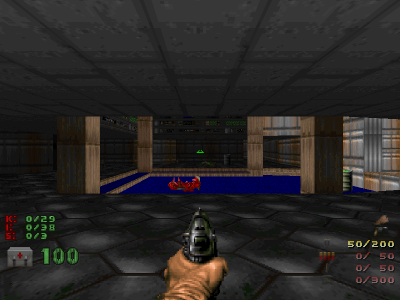
GZDoom is a source port. Based off ATB Doom and NTDoom, has since added practically full support for Boom, Chex Quest, Heretic, Hexen and Strife; and several games have been developed specifically for it. It has added many additional features, including slopes, uncapped fps and z-clipping.
“The demons… they are everywhere. Must… kill them all!”. Doomguy from DOOM.
This system scrapes metadata for the “ports” group(s) and loads the gzdoom set from the currently selected theme, if available.
Grouped with the “ports” group of systems.

Quick reference
- Emulator: GZDoom
- Folder:
roms/gzdoom/ - Accepted ROM formats:
.wad,.iwad,.pwad,pk3,.ipk3,.zipor.7zip
BIOS
No GZDoom emulator in Batocera needs a BIOS file to run.
ROMs
Place your GZDoom ROMs in /userdata/roms/gzdoom/.
.WAD and .PK3 (non compressed files)
Each game needs a .WAD (Where's all data?) or .IWAD (Internal WAD), it's the main resource file for a Doom-engine game, containing all the game's original sounds, levels, and graphics.
Some files have conflicting names; GZDoom provides you with possible aliases.
.IWAD, .IPK3 and .PWAD (info lumps)
In addition, some “total conversion”-type mods, can be played as their own IWAD; an IWAD is actually identified by its content rather than its name.
In order to play a custom level designed for any of the above games you have to have that particular game's full IWAD. If you do not have the necessary IWAD, you will get an error message on startup.
Custom IWADs can be detected. These custom IWADs need to have the .iwad or alternatively .ipk3 (not the traditional .wad and .pk3) extension, and they need to include an IWADINFO lump. It can also contain DEFBINDS, DEFCVARS, and KEYCONF lumps.
IWad:
{
	Name = "My Kickass Custom Game"
	AutoName = "MyCustomGame"
	Game = "Doom"
	Config = "Doom"
	StartupType = "Hexen"
	BannerColors = "ff ff ff", "c9 00 00"
}
A PWAD, patch wad, is a WAD containing lumps of data created by a user as an add-on.
.ZIP, .7ZIP, .PK3 or .PK7 (compressed files)
The PK3 file format is the same as the ZIP file format, and is treated exactly the same by GZDoom.
Supported games
Commercial games
| Game | Name | File Name | Alias |
|---|---|---|---|
| DOOM | Doom (Registered) | doom.wad | |
| DOOM | The Ultimate Doom | doom.wad | doomu.wad |
| DOOM | Doom “BFG Edition” | doom.wad | doombfg.wad or bfgdoom.wad |
| DOOM II | Doom II | doom2.wad | doom2.wad |
| DOOM II | Doom II “BFG Edition” | doom2.wad | doom2bfg.wad or bfgdoom2.wad |
| DOOM II | Final Doom — TNT: Evilution | tnt.wad | |
| DOOM II | Final Doom — The Plutonia Experiment | plutonia.wad | |
| DOOM II | French Doom II | doom2f.wad | |
| Heretic | Heretic (Registered or Commercial) | heretic.wad | hereticsr.wad |
| Hexen | Hexen (Full) | hexen.wad | |
| Hexen | Hexen: Deathkings of the Dark Citadel | hexdd.wad | |
| Strife | Strife (Full) | strife1.wad | strife.wad |
| Strife | Strife: Veteran Edition | sve.wad | |
| Chez Quest | Chex Quest | chex.wad |
Free games
| Game | Name | File Name | Alias |
|---|---|---|---|
| DOOM | Doom (Shareware) | doom1.wad | |
| Heretic | Heretic (Shareware) | heretic.wad | hereticsr.wad |
| Hexen | Hexen (Demo) | hexen.wad | |
| Strife | Strife (Teaser) | strife1.wad | strife.wad |
| FreeDoom | Freedoom: Phase 1 | freedoom1.wad | freedoomu.wad |
| FreeDoom | Freedoom: Phase 2 | freedoom2.wad | freedoom.wad |
| FreeDoom | FreeDM | freedm.wad | |
| Blasphemer | Blasphemer | heretic.wad | blasphem.wad or blasphemer.wad |
| Chez Quest | Chex Quest 3 | chex3.wad | |
| Urban Brawl | Action Doom 2: Urban Brawl | action2.wad | |
| Harmony | Harmony v1.1 | harm1.wad | |
| Hacx | Hacx v1.2 | hacx.wad | |
| Hacx | Hacx v2.0 | hacx2.wad | |
| Square | The Adventures of Square | square1.pk3 | |
| Delaweare | Delaweare | delaweare.wad | |
| Rise Of The Wool Ball | Rise Of The Wool Ball | rotwb.wad |
Custom games
 [Under Construction]
GZDoom compatible games: https://zdoom.org/wiki/IWAD
WADs created for GZDoom (Mods): https://zdoom.org/wiki/Category:WADs_created_for_ZDoom
Features
Eduke32 includes the following features:
- FraggleScript support (so Legacy/SMMU maps are supported)
- Global FraggleScripts via the FSGLOBAL lump
- OpenGL renderer, allowing the following features:
- Full 3D floors (including slopes)
- Reflective floors
- Dynamic lights, brightmaps, glowing flats, custom hardware shaders
- Quake II/Half-Life-style skyboxes in addition to regular ZDoom skyboxes
- High-quality (HQnX) rescaling filters for graphics, sprites and textures
- MD2, MD3 and limited DMD (Doomsday) model support
- 32-bit colors (Sprites and textures are no longer translated to Doom's palette)
- True freelook
Saves
Save location saves/gzdoom/<game>.<save game extension>
Emulators
GZDoom
[Needs review]
Standardized features available to all cores of this emulator: gzdoom.videomode, gzdoom.padtokeyboard, gzdoom.videomode, gzdoom.bezel, gzdoom.bezel_stretch, gzdoom.hud, gzdoom.hud_corner, gzdoom.bezel.tattoo, gzdoom.bezel.tattoo_corner, gzdoom.bezel.tattoo_file, gzdoom.bezel.resize_tattoo
ES setting name batocera.conf_key | Description ⇒ ES option key_value |
|---|---|
| Settings that apply to all cores of this emulator | |
SKIP INTRO VIDEOS gzdoom.nologo | ⇒ Skip 1, Show (Default) 0. |
Controls
Here are the default GZDoom's controls shown on a Batocera Retropad:
Troubleshooting
Gamepad issue:
- Some issues reported for Gamepad on Batocera.
- systems/gzdoom.1664856288.txt.gz
- Last modified: 4 years ago
- by maioni