GeForce NOW Electron
The GeForce flatpak is not officially integrated. This wiki page's instructions may not work for all situations and Batocera cannot provide support help for it, use at your own discretion.
GeForce NOW Electron is an unofficial open-source launcher available on Flathub which supports launching games for the GeForce NOW streaming service. Unfortunately this launcher is not as fully integrated into Batocera as other flatpaks are so some manual work is required.
Install
Search for “GeForce NOW Electron” and install it.
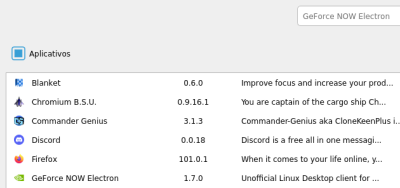
To do so from SSH:
flatpak install flathub io.github.hmlendea.geforcenow-electron
batocera-flatpak-update
Launch GeForce NOW Electron
The GeForce NOW Electron Flatpak is bugged and will not launch correctly using the default flags. You must launch via SSH using the following command:
flatpak run io.github.hmlendea.geforcenow-electron --no-sandbox
This may be worked around in the future. As alternative you can create a .sh launcher at ports system: add launcher at ports section
Login
GeForce NOW Electron offers many ways to log in, but the only one that works for now is the e-mail and password login. Make sure to log in using the regular GeForce NOW with only your E-mail and password.
- So, create a ABYA account with your E-mail and password.
- And log in to GeForce NOW Electron with an ABYA account with the E-mail and password options.
Play Games
To play games on GeForce NOW, you can syn your Steam, Epic Store and Ubisoft stores.
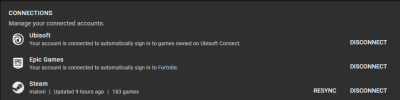
- Goes to Settings and sync your accounts
- Select the game into Library and select to PLAY it.
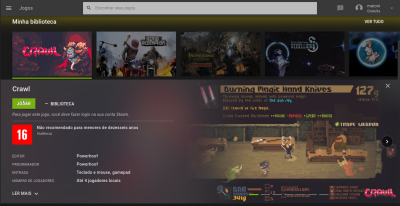
- PAID plans: You will play as soon as possible.
- FREE plans: you will be waiting in a line to be able to play the game and for a couple of minutes when ready (around 20 minutes) [So, do not quit game until time ends, otherwise the game's session will shutdown before that!]. Also do not schedule a game you don't have on your library, e.g. The Witcher 3 has it's versions for Steam, Gog and Epic Store, if you have it on Steam but opens the Epic Store version, you can't play the game! This way, you will have to finish your game section, and open the correct version and wait again in line.
- After you get access to the GeforceNOW virtual machine, you will be pop up with the game's store application, log in into, download the game, and play, just as a regular Steam, Epic Store or Ubisoft software.
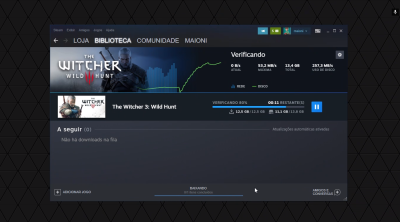
- It supports Gamepad, even if the tools indicate it have no controller connected to it (just make sure the game you selected has support, or play it with a mouse/keyboard plug-in).
- systems/geforcenow.txt
- Last modified: 2 years ago
- by atari