This is an old revision of the document!
Future Pinball
Future Pinball is a pinball simulator, written for Windows, and running in Batocera Linux through Wine. That's a reason why it is only available for Batocera PC.
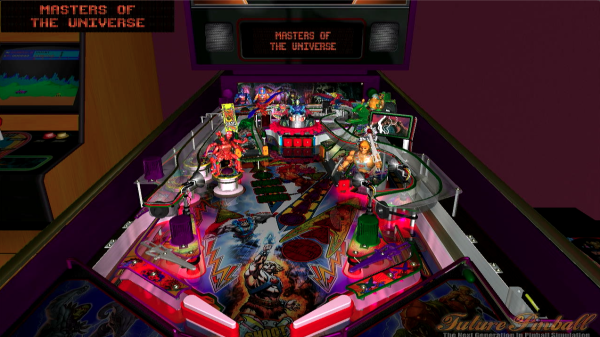
It's a simulator for both original tables and re-creations of existing physical pinball tables, using Microsoft Visual Basic to implement all the table logic. The physics and overall graphics of Future Pinball make it feel closer to a physical pinball than an arcade game, as it's usually the case with pinball games that are available with console emulators.
All 3D graphics objects are rendered in real time, and you can change the view point at any given time (see controls below). As a consequence, it requires a PC with sufficient GPU power. It can still run well on recent Intel integrated GPUs.
The system is added in Batocera v31 and is not available in the current stable release.
Tables
Future Pinball tables are distributes as .fpt files. In many cases, a pinball table is fully contained in the .fpt file, but for some tables, you need additional files (fonts, music) that are distributed as side '.fpl' files, sitting next to the .fpt file.
The .fpt file is the main one that is loaded by Batocera to start your pinball game. Just put it into the /userdata/roms/fpinball directory. You can store tables in their own sub-folders if you wish.
Controls
| Button | Action |
|---|---|
| Select | insert coin |
| Start | start game / add player |
| L1 | left flipper |
| R1 | right flipper |
| South | ball launcher |
| West | change camera view |
| East | Look up to the backglass |
| North | Pause / High scores |
| D-Pad | Shake the pinball (left, right, up/front) |
| Hotkey + start | Quit, as usual |
- systems/fpinball.1622460681.txt.gz
- Last modified: 5 years ago
- by igno2k