Table of Contents
This article needs some TLC. Read at your own risk.

Eduke 32
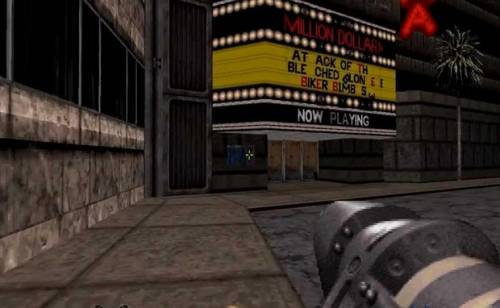
EDuke32 is a cross-platform port of Duke Nukem 3D aimed at both extending what can be edited in the game and providing a rich, full-featured means to explore the original episodes. It is widely used in the Duke Nukem modding community and has become a requirement in order to play most mods. It is also capable of playing Nam and WW2 GI.
“It’s time to kick ass and chew bubble gum… and I’m all outta gum.” – Duke Nukem from Duke Nukem 3D.
This system scrapes metadata for the “ports” group(s) and loads the eduke32 set from the currently selected theme, if available.
Grouped with the “ports” group of systems.
Quick reference
- Emulator: Eduke32
- Folder:
roms/eduke32/ - Accepted ROM formats:
.eduke32
BIOS
No Eduke32 emulator in Batocera needs a BIOS file to run.
Supported Command in .eduke32-file
- FILE (equivalent to
-gamegrp) - FILE+ (equivalent to
-g) - CON (equivalent to
-x) - CON+ (equivalent to
-mx) - DIR (equivalent to
-j) - DEF (equivalent to
-h) - DEF+ (equivalent to
-mh) - MAP (equivalent to
-map)
These commands are from configgen/utils/buildargs.py and may be updated in future.
BuildEngineArg("DIR", "-j", False),  # Adds directory to search list
# The main game file to load: EDuke32 and Raze can load .grp, .zip, .ssi, .pk3, .pk4; Raze can also load .7z
BuildEngineArg("FILE", "-gamegrp", True),
# Add extra game file to load; this overrides files in virtual filesystem
BuildEngineArg("FILE+", "-g", False),
# Replace the main GAME.CON script module; surprisingly this can be a CON, DEF, or INI!
BuildEngineArg("CON", "-x", True),
BuildEngineArg("CON+", "-mx", False),  # Append CON after GAME.CON script module
BuildEngineArg("DEF", "-h", True),  # Replace the main DEF module
BuildEngineArg("DEF+", "-mh", False),  # Append DEF after main DEF module
BuildEngineArg("MAP", "-map", True),  # Start specified MAP on launch
ROMs
Place your Eduke32 ROMs in /userdata/roms/eduke32/.
Files MD5 sums: https://wiki.eduke32.com/wiki/Frequently_Asked_Questions
The following games are officially supported, and should be placed in the designated directory with their required files:
- duke: Duke Nukem 3D (DUKE3D.GRP)
- duke: Duke Nukem 3D: Duke It Out in D.C. (DUKEDC.GRP)
- duke: Duke Nukem 3D: Duke Caribbean: Life's a Beach (VACATION.GRP)
- duke: Duke Nukem 3D: Duke: Nuclear Winter (NWINTER.GRP)
- nam: NAM (NAM.GRP, NAM.CON)
- ww2gi: World War II GI (WW2GI.GRP)
- ww2gi: World War II GI: Platoon Leader (PLATOONL.DAT, PLATOONL.DEF)
Supported games (.eduke32 file content and data files location)
Duke Nukem 3D [v1.3D, Atomic Edition, and Twentieth Anniversary World Tour] (via JFDuke & EDuke 2.0; World Tour extensions via DukeGDX)
- Duke Nukem 3D.eduke32
FILE = /duke/DUKE3D.GRP
Files from game folder /Duke Nukem 3D or /ATOMINST or /Duke Nukem 3D/gameroot or Duke Nukem 3D Twentieth Anniversary World Tour/ or /data
/userdata/roms/eduke32/duke/
                           |── DUKE3D.GRP (The World Tour's extra features will requires the whole game installation)
                           └── DUKE.RTS
Duke It Out in D.C. (expansion)
- Duke It Out in D.C..eduke32
FILE  = /duke/DUKE3D.GRP
FILE+ = /duke/DUKEDC.GRP
Files from game folder /Duke Nukem 3D and /Duke Nukem 3D/gameroot/addons/dc or DUKEDC/
/userdata/roms/eduke32/duke/
                           ├── DUKE3D.GRP (Atomic Edition)
                           └── DUKEDC.GRP (DUKEDCPP.SSI can be converted to GRP: https://forums.duke4.net/topic/998-xp-trying-to-get-duke-it-out-in-dc-please-help/)
Duke Caribbean: Life's a Beach (expansion)
- Duke Caribbean - Life's a Beach.eduke32
FILE  = /duke/DUKE3D.GRP
FILE+ = /duke/VACATION.GRP
Files from game folder /Duke Nukem 3D and /Duke Nukem 3D/gameroot/addons/vacation or CARIBBEA/VACATION/
/userdata/roms/eduke32/duke/
                           ├── DUKE3D.GRP
                           └── VACATION.GRP (VACA15.SSI can be converted to GRP: https://forums.duke4.net/topic/998-xp-trying-to-get-duke-it-out-in-dc-please-help/)
Duke: Nuclear Winter (expansion)
- Duke - Nuclear Winter.eduke32
FILE  = /duke/DUKE3D.GRP
FILE+ = /duke/NWINTER.GRP
Files from game folder /Duke Nukem 3D and /Duke Nukem 3D/gameroot/addons/nw
/userdata/roms/eduke32/duke/
                           ├── DUKE3D.GRP
                           └── NWINTER.GRP
Duke Nukem Atomic Edition
- Duke Nukem Atomic Edition.eduke32
FILE  = /duke/DUKE3D.GRP
FILE+ = /duke/DUKE3DA.GRP
Files from game folder /Duke Nukem Atomic Edition or /ATOMINST
/userdata/roms/eduke32/duke/
                           ├── DUKE3D.GRP
                           └── DUKE3DA.GRP
Duke ZONE 2
Atomic:
- Duke!Zone II.eduke32
FILE  = /duke/DUKE!ZON.GRP
FILE+ = /duke/DUKEZONE2.GRPINFO
World Tour:
- Duke!Zone II.eduke32
FILE  = /duke/DUKE!ZON.GRP
FILE+ = /duke/DUKEZONE2_WT.GRPINFO
Files from game folder /Duke Zone 2
/userdata/roms/eduke32/dukezone2/
               |       ├── DUKE!ZON.GRP
               |       ├── DUKEZONE2.GRPINFO (Atomic) OR DUKEZONE2_WT.GRPINFO (World Tour)
               |       └── FIXED CON FILES: https://hrp.duke4.net/download.php
               |           ├── GAME.CON (Replaces DZ-GAME.CON)
               |           ├── DEFS.CON (Replaces DZ-DEFS.CON)
               |           ├── USER.CON (Replaces DZ-USER.CON)
               |           └── E3L1.MHK
               └── Duke!Zone II.eduke32
Duke Assault
Copy the ASSAULT directory from the CD to your EDuke32 directory.
Copy the two TILES014.ART and TILES015.ART files from ART directory to the ASSAULT directory.
- Duke Assault.eduke32
FILE = /duke/DUKE3D.GRP
Files from game folder Duke Nukem 3D/, /Duke Assault CD/ASSAULT and /Duke Assault CD/ART
/userdata/roms/eduke32/duke/
               |       ├── ASSAULT/
               |       |   ├── *.MAP (1640 MAP files!)
               |       |   ├── TILES014.ART
               |       |   └── TILES015.ART
               |       └── DUKE3D.GRP
               └── Duke Assault.eduke32
Duke Nukem's Penthouse Paradise (expansion)
- Duke Nukem's Penthouse Paradise.eduke32
FILE   = /duke/DUKE3D.GRP
FILE+  = /duke/PENTHOUS.GRP
CON    = /duke/GAME.CON
Files from game folder /Duke Nukem 3D and /penthous
/userdata/roms/eduke32/duke/
               |       ├── DUKE3D.GRP
               |       └── PENTHOUS.GRP
               |       └── GAME.CON (from Penthouse Paradise)
               └── Duke Nukem's Penthouse Paradise.eduke32
Duke!Zone (expansion)
- Red Zone.eduke32
FILE   = /duke/DUKE3D.GRP
FILE+  = /duke/ZONE.GRP
Files from game folder /Duke Nukem 3D and /redzone
/userdata/roms/eduke32/duke/
               |       ├── DUKE3D.GRP
               |       └── Zone.GRP
               └── Duke!Zone.eduke32
Duke Nukem: Plug 'N' Pray Remake Episodes (expansion)
- Red Zone.eduke32
FILE   = /duke/DUKE3D.GRP
FILE+  = /duke/PNP.GRP
Files from game folder /Duke Nukem 3D and /pnp
/userdata/roms/eduke32/duke/
               |       ├── DUKE3D.GRP
               |       └── PNP.GRP
               └── Plug 'N' Pray.eduke32
Duke Nukem: Zero Hour (expansion)
- Duke Nukem Zero Hour.eduke32
FILE   = /duke/DUKE3D.GRP
FILE+  = /duke/ZEROHOUR.GRP
Files from game folder /Duke Nukem 3D and /zerohour
/userdata/roms/eduke32/duke/
               |       ├── DUKE3D.GRP
               |       └── ZEROHOUR.GRP
               └── Duke Nukem Zero Hour.eduke32
Duke Xtreme
Copy the DKXTRM directory from the CD to your EDuke32 directory.
In DKXTRM/PACK14, rename DKEXGAME.CON to GAME.CON, DKEXDEFS.CON to DN3DDEFS.CON, and DKEXUSER.CON to DN3DUSER.CON.
- Duke Xtreme.eduke32
FILE = /duke/DUKE3D.grp
Files from game folder Duke Nukem 3D/ and /Duke Xtreme CD/XTRM
/userdata/roms/eduke32/duke/
               |       ├── DUKE3D.GRP
               |       └── DKXTRM/
               |           ├── DMMAPS (25 files)
               |           |   └── *.MAP
               |           ├── PACK13
               |           |   ├── TILES0*.ART (7 files)
               |           |   ├── *.CON (3 files)
               |           |   |       ├── DKEXDEFS.CON
               |           |   |       ├── DKEXUSER.CON
               |           |   |       └── DKEXGAME.CON
               |           |   └── *.VOC (22 files)
               |           ├── PACK14
               |           |   ├── TILES0*.ART (7 files)
               |           |   ├── *.CON (3 files)
               |           |   |       ├── DN3DDEFS.CON (Renamed from DKEXDEFS.CON)
               |           |   |       ├── DN3DUSER.CON (Renamed from DKEXUSER.CON)
               |           |   |       └── GAME.CON (Renamed from DKEXGAME.CON)
               |           |   └── *.VOC (22 files)
               |           └── SPMAPS
               |               └── *.MAP (25 files)
               └── Duke - Xtreme.eduke32
NAM
- Nam.eduke32
FILE = /nam/NAM.GRP
CON  = /nam/NAM.CON
Files from game folder /NAM
/userdata/roms/eduke32/nam/
               |       ├── NAM.CON (Renamed from GAME.CON)
               |       ├── NAM.GRP
               |       └── NAM.RTS
               └── Nam.eduke32
NAPALM [Walmart version of NAM with different .GPR files]
- Napalm.eduke32
FILE = /napalm/NAPALM.GRP
CON  = NAPALM.CON
Files from game folder /NAMPALM
/userdata/roms/eduke32/napalm/
               |       ├── NAPALM.CON (Renamed from GAME.CON)
               |       ├── NAPALM.GRP
               |       └── NAPALM.RTS
               └── Napalm.eduke32
World War II GI
- World War II GI.eduke32
FILE = /ww2gi/WW2GI.GRP
Files from game folder /WWII GI
/userdata/roms/eduke32/ww2gi/
               |       ├── WW2GI.GRP
               |       └── WW2GI.CON
               └── World War II GI.eduke32
World War II GI: Platoon Leader (expansion)
- World War II GI - Platoon Leader.eduke32
FILE  = /ww2gi/WW2GI.GRP
FILE+ = /ww2gi/PLATOONL.DAT
CON   = /ww2gi/PLATOONL.DEF
Files from game folder /WWII GI and /platoonleader
/userdata/roms/eduke32/ww2gi/
               |       ├── WW2GI.GRP
               |       ├── PLATOONL.DAT
               |       └── PLATOONL.DEF
               └── Platoon Leader.eduke32
Duke Nukem 3D: 20th Anniversary World Tour
As of the date this text was written, running Duke Nukem 3D: 20th Anniversary World Tour with EDuke32 requires the use of the stopgap patch, which ensures compatibility between the game and the source port. To download the patch, visit the official stopgap patch page on GitHub: official stopgap patch GitHub page
- Duke Nukem 3D Twentieth Anniversary World Tour.eduke32
DIR = /dukewt/duke
DIR = /dukewt/stopgap
FILE = /dukewt/stopgap/e32wt.grp
Files from game folder /dukewt
/userdata/roms/eduke32/dukewt/
               |       ├── duke/
               |       |    ├── DUKE3D.GRP    (The extra features of The World Tour require the complete game installation files and folders)
               |       |    └── DUKE.RTS
               |       └── stopgap/	      (Extract the contents of the stopgap patch .zip file into this folder)
               |            ├── E32WT.CON
               |            ├── e32wt.def
               |            ├── e32wt.grp
               |            ├── e32wt.grpinfo
               |            ├── E32WT_CODE.CON
               |            ├── e32wt_content.def
               |            ├── e32wt_normalmaps.def
               |            ├── E32WT_OLD.CON
               |            ├── LICENSE.txt
               |            ├── README.md
               |            └── version_e32wt.txt
               └── Duke Nukem 3D Twentieth Anniversary World Tour.eduke32
Saves
Save location saves/eduke32/<game>.<save game extension>
Emulators
Eduke32
Standardized features available to all cores of this emulator: eduke32.videomode, eduke32.padtokeyboard, eduke32.videomode, eduke32.bezel, eduke32.bezel_stretch, eduke32.hud, eduke32.hud_corner, eduke32.bezel.tattoo, eduke32.bezel.tattoo_corner, eduke32.bezel.tattoo_file, eduke32.bezel.resize_tattoo
ES setting name batocera.conf_key | Description ⇒ ES option key_value |
|---|---|
| Settings that apply to all cores of this emulator | |
SKIP INTRO VIDEOS eduke32.nologo | ⇒ Skip 1, Show (Default) 0. |
Controls
Here are the default Eduke32's controls shown on a Batocera Retropad:
Troubleshooting
My game does not launch
- Make sure the
.eduke32launch file is setup correctly- Check the case sensitivity
- Check the use of FILE, FILE+ and CON
- FILE and FILE+ must use the path
/roms/eduke32/<gamefolder>/<main file or add-on> - CON also use the path
/roms/eduke32/<gamefolder>/<con file>
.eduke32files must not have any empty lines
To start from scratch, delete all the files from system/configs/eduke32/ and saves/eduke32/.